Page: 1
/ 14
Total 60 questions
CrowdStrike Certified Falcon Responder CCFR-201b Exam Questions
Question 1
What are Event Actions?
Answer : A
According to theCrowdStrike Falcon Devices Add-on for Splunk Installation and Configuration Guide v3.1.5+, Event Actions are automated searches that can be used to pivot between related events and searches1.They are available in various tools, such as Event Search, Process Timeline, Host Timeline, etc1.You can select one or more events and perform various actions, such as show a process timeline, show a host timeline, show associated event data, show a +/- 10-minute window of events, etc1.These actions can help you investigate and analyze events more efficiently and effectively1.
Question 2
What is an advantage of using a Process Timeline?
Answer : A
According to theCrowdStrike Falcon Devices Add-on for Splunk Installation and Configuration Guide v3.1.5+, the Process Timeline tool allows you to view all cloudable events associated with a given process, such as process creation, network connections, file writes, registry modifications, etc2.You can also filter the events by various criteria, such as event type, timestamp range, file name, registry key, network destination, etc2.This is an advantage of using the Process Timeline tool because it allows you to focus on specific events that are relevant to your investigation2.
Question 3
What does pivoting to an Event Search from a detection do?
Answer : B
According to theCrowdStrike Falcon Devices Add-on for Splunk Installation and Configuration Guide v3.1.5+, pivoting to an Event Search from a detection takes you to the raw Insight event data and provides you with a number of Event Actions1.Insight events are low-level events that are generated by the sensor for various activities, such as process executions, file writes, registry modifications, network connections, etc1.You can view these events in a table format and use various filters and fields to narrow down the results1.You can also select one or more events and perform various actions, such as show a process timeline, show a host timeline, show associated event data, show a +/- 10-minute window of events, etc1.These actions can help you investigate and analyze events more efficiently and effectively1.
Question 4
The Process Activity View provides a rows-and-columns style view of the events generated in a detection. Why might this be helpful?
Answer : A
According to theCrowdStrike Falcon Devices Add-on for Splunk Installation and Configuration Guide v3.1.5+, the Process Activity View allows you to view all events generated by a process involved in a detection in a rows-and-columns style view1.This can be helpful because it creates a consolidated view of all detection events for that process that can be exported for further analysis1.You can also sort, filter, and pivot on the events by various fields, such as event type, timestamp, file name, registry key, network destination, etc1.
Question 5
What action is used when you want to save a prevention hash for later use?
Answer : A
According to theCrowdStrike Falcon Data Replicator (FDR) Add-on for Splunk Guide, the Always Block action allows you to block a file from executing on any host in your organization based on its hash value2.This action can be used to prevent known malicious files from running on your endpoints2.
Question 6
You are reviewing the raw data in an event search from a detection tree. You find a FileOpenlnfo event and want to find out if any other files were opened by the responsible process. Which two field values do you need from this event to perform a Process Timeline search?
Answer : D
According to theCrowdStrike Falcon Devices Add-on for Splunk Installation and Configuration Guide v3.1.5+, the Process Timeline tool allows you to view all cloudable events associated with a given process, such as process creation, network connections, file writes, registry modifications, etc2.The tool requires two parameters:aid(agent ID) andTargetProcessId_decimal(the decimal value of the process ID)2.These fields can be obtained from any event that involves the process, such as a FileOpenInfo event, which contains information about a file being opened by a process2.
Question 7
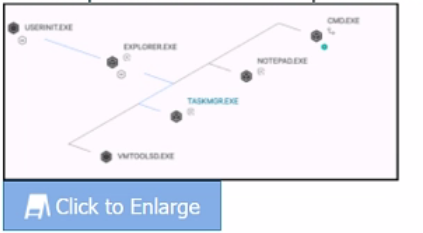
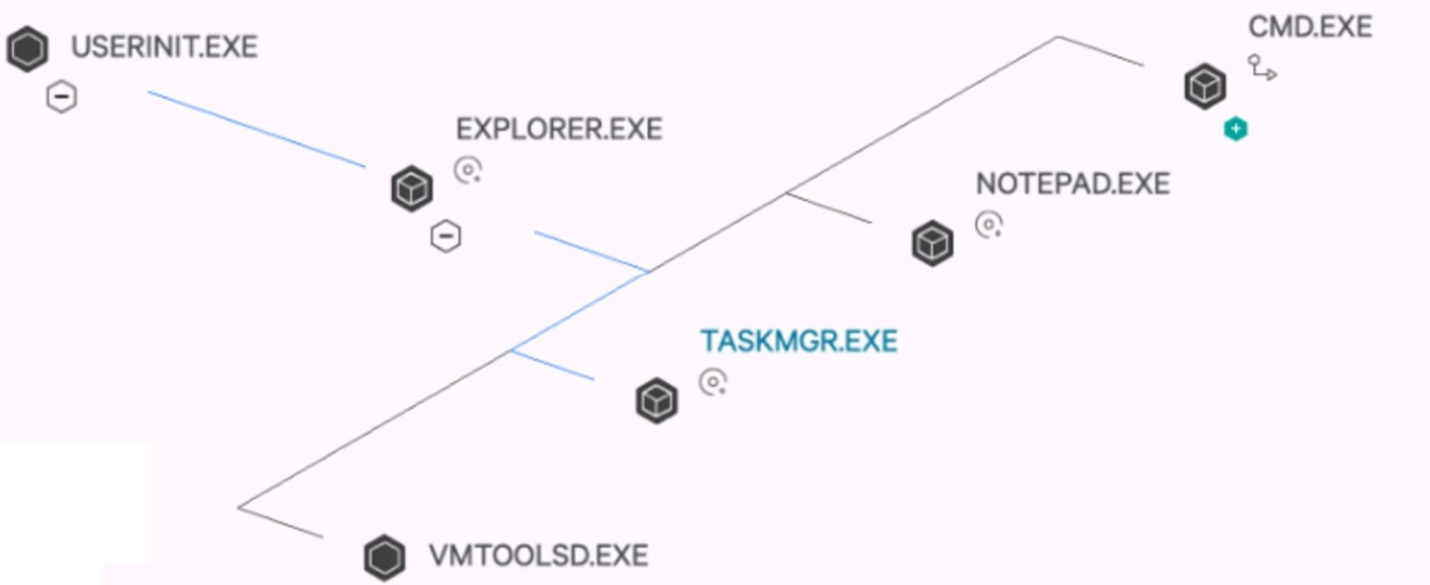
How are processes on the same plane ordered (bottom 'VMTOOLSD.EXE' to top CMD.EXE')?
Answer : B
According to the CrowdStrike Falcon Devices Add-on for Splunk Installation and Configuration Guide v3.1.5+, the process tree view provides a visualization of program ancestry, which shows the parent-child and sibling relationships among the processes1.You can also see the event types and timestamps for each process1.The processes on the same plane are ordered by time started in descending order, meaning that the most recent process is at the bottom and the oldest process is at the top1.For example, in the image you sent me, CMD.EXE is the oldest process and VMTOOLSD.EXE is the most recent process on that plane1.
 All Official Question Types