Page: 1
/ 14
Total 102 questions
Fortinet NSE 5 - FortiManager 7.2 NSE5_FMG-7.2 Exam Questions
Question 1
Which of the following statements are true regarding VPN Manager? (Choose three.)
Answer : A, C, D
Question 2
An administrator with the Super_User profile is unable to log in to FortiManager because of an authentication failure message.
Which troubleshooting step should you take to resolve the issue?
Answer : C
Even if a user entered the correct userid/password, the FMG denies access if a user is logging in from an untrusted source IP subnets.
Question 3
Which two statements about the scheduled backup of FortiManager are true? (Choose two.)
Answer : A, D
Question 4
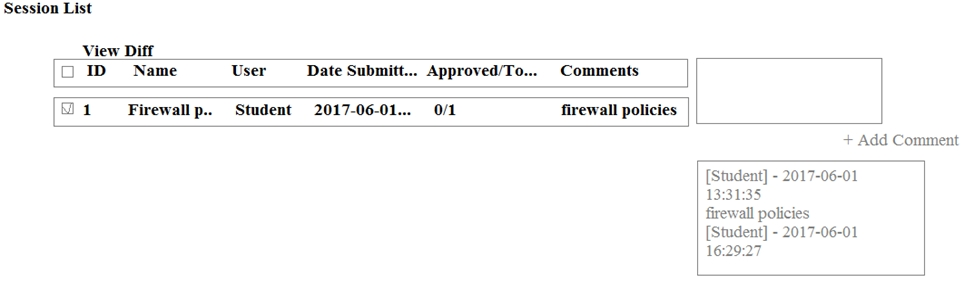
An administrator, Trainer, who is assigned the Super_User profile, is trying to approve a workflow session that was submitted by another administrator, Student. However, Trainer is unable to approve the workflow session.
What can prevent an admin account that has Super_User rights over the device from approving a workflow session?
Answer : A
Question 5
Refer to the following exhibit:
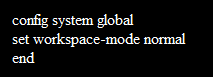
Which of the following statements are true based on this configuration? (Choose two.)
Answer : A, B
Question 6
What will be the result of reverting to a previous revision version in the revision history?
Answer : D
Question 7
An administrator would like to authorize a newly-installed AP using AP Manager. What steps does the administrator need to perform to authorize an AP?
Answer : D
 All Official Question Types