Page: 1
/ 14
Total 88 questions
ICDL L4 Excel ICDL-Excel Exam Questions
Question 1
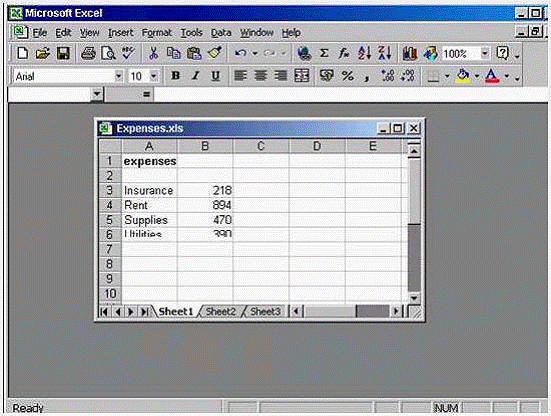
Delete row5 from this worksheet.
Answer : A
Question 2
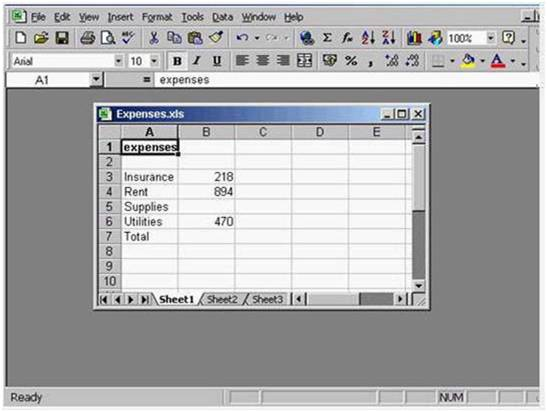
Enter the value 521 in cell B5. Click any other cell when you have finished.
Answer : A
Question 3
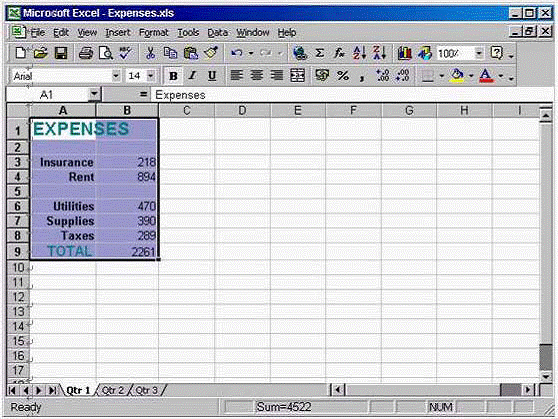
Cut the selected range and paste it into cell A1 on the worksheet entitled Qtr 3 in this workbook.
Answer : A
Question 4
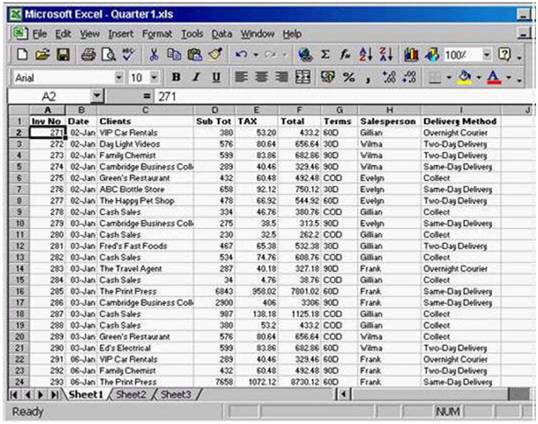
Use Microsoft Excel Help to access information on advanced filters.
Answer : A
Question 5
Which formula entered into C12 would calculate the number of recorded rainfall readings taken over the 3 weeks?
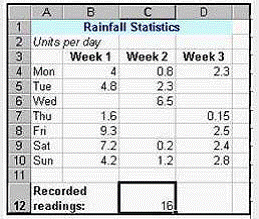
Answer : C
Question 6
Open the Samples.xls workbook that is in the My Documents folder.
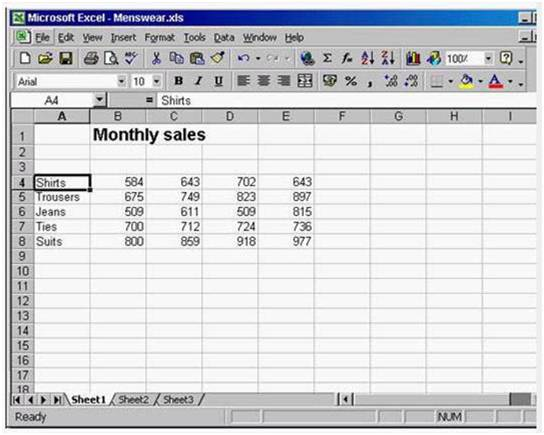
Answer : A
Question 7
Which of the following formulas would calculate the Net Sales for January in this worksheet?
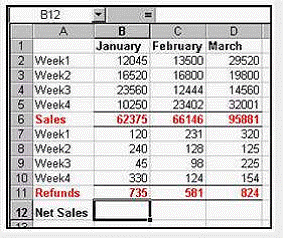
Answer : C
 All Official Question Types