Page: 1
/ 14
Total 60 questions
Pegasystems Pega Certified Robotics System Architect (PCRSA) 80V1 2019 PEGAPCRSA80V1_2019 Exam Questions
Question 1
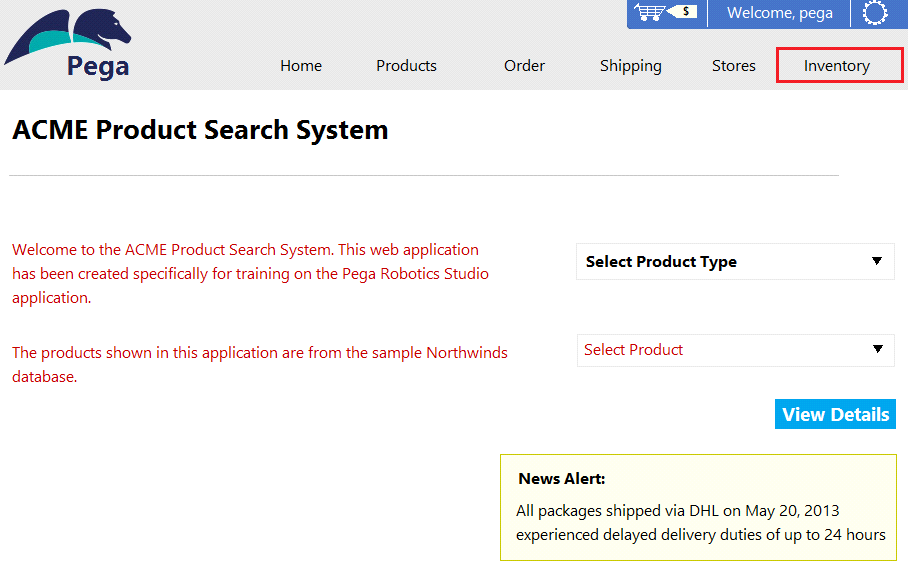
As a new development requirement, you must disable the Inventory link as shown in the following image. The Inventory link must be available only to the Store Managers user group. The user group validation is already developed, and the web application has already completed interrogation.
How do you disable Inventory link for the remaining user group?
Answer : A
Question 2
You are debugging a script component for your project. When the automation executes your script, the intended result does not occur. You suspect that one or more variables within your script are not being set to the proper value. Your version of Pega Robot Studio does not support the use of breakpoints within the script designer.
In what two ways can you debug the script? (Choose two.)
Answer : A, C
Question 3
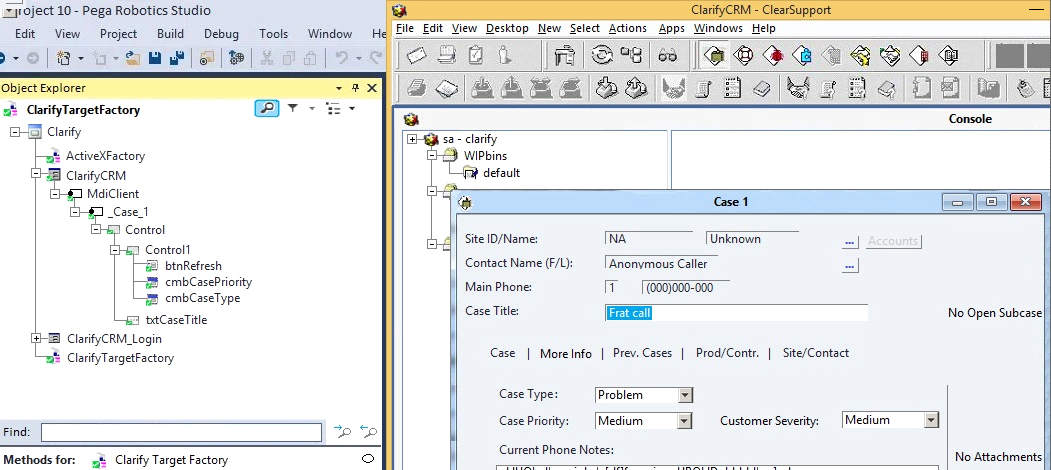
During application discovery of a Clarify application, you determine that the user accesses more than one customer case concurrently within the application, which creates multiple windows of the same type. This requires you to enable the UseKeys property on an application's object.
Based on the image that shows the application and the matched controls in the Object Explorer, which control's UseKeys property must be set to True?
Answer : A
Question 4
Which two of the following Tool Windows are used in Pega Robot Studio? (Choose two.)
Answer : A, D
Question 5
Which of the following controls cannot be added to the Windows form?
Answer : C
Question 6
Runtime produces an error when debugging a solution. The error message references that a control does not have the necessary value to complete an activity. The control depends upon the completion of a second activity in another project to provide its value.
Which two debugging options provide a benefit when referencing threads for issue resolution? (Choose two.)
Answer : A, C
Question 7
The variable varInput is a String that holds the value What is the output?
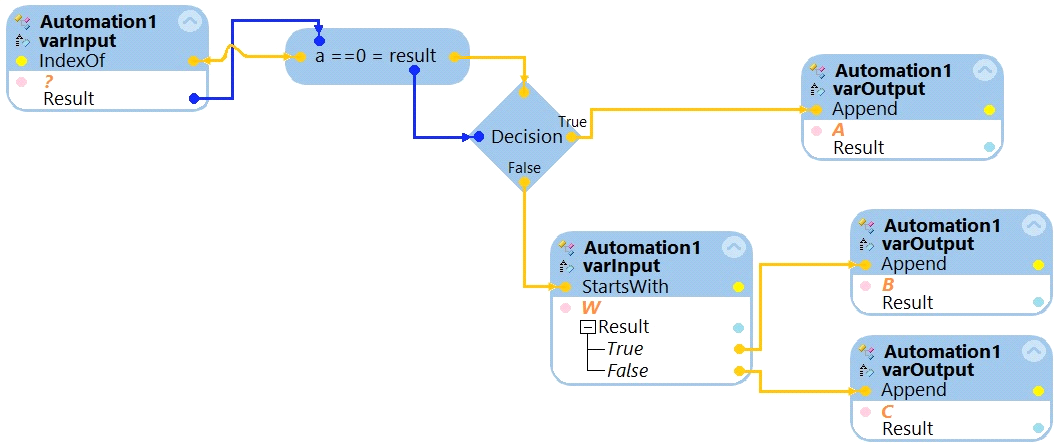
What is the outcome of the above automation?
Answer : D
 All Official Question Types